QtMiniToolbar#
A dense icon-toolbar widget for compact utility actions.
Screenshot#
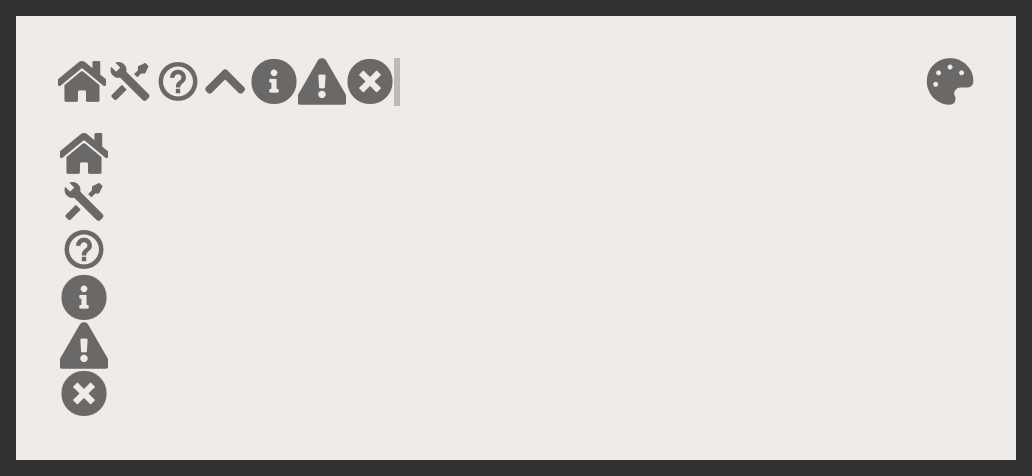
Example#
Source: examples/qt_toolbar_mini.py
"""QtActiveProgressBarButton."""

from qtpy.QtWidgets import QApplication, QVBoxLayout, QWidget

from qtextra.config import THEMES
from qtextra.widgets.qt_toolbar_mini import QtMiniToolbar

app = QApplication([])

widget = QWidget()
widget.setMinimumWidth(500)
THEMES.apply(widget)

layout = QVBoxLayout()
widget.setLayout(layout)

layout.addWidget(horz_toolbar := QtMiniToolbar(widget, orientation="horizontal", add_spacer=False))
layout.addWidget(vert_toolbar := QtMiniToolbar(widget, orientation="vertical", add_spacer=False))

# add tools
for icon in ["home", "settings", "help", "info", "warning", "error"]:
    horz_toolbar.add_qta_tool(icon, tooltip=icon, func=None)
    vert_toolbar.add_qta_tool(icon, tooltip=icon, func=None)

# you can also add separator
horz_toolbar.add_separator()
# or spacer
horz_toolbar.add_spacer()
# and then add more tools
horz_toolbar.add_qta_tool("color_palette", tooltip="color_palette", func=None)
# you can also insert tools
horz_toolbar.insert_qta_tool("chevron_up", 3, tooltip="chevron_up", func=None)


layout.addStretch()
widget.show()

app.exec_()
Notes#
- Supports horizontal and vertical layouts, separators, spacers, and inserted tools.
API#
Qt Class#
Methods#
Mini toolbar.
max_size: int
property
writable
#
Return maximum size.
n_items: int
property
#
Return the number of items in the layout.
add_button(button: QtImagePushButton, set_size: bool = True) -> QtImagePushButton
#
Add any button to the toolbar.
add_layout(layout: QLayout) -> QLayout
#
Insert any layout at specified position.
add_qta_tool(name: str, func: ty.Callable | None = None, tooltip: str | None = None, checkable: bool = False, check: bool = False, size: tuple[int, int] | None = None, small: bool = False, average: bool = False, normal: bool = False, is_menu: bool = False, hide: bool = False, func_menu: ty.Callable | None = None) -> QtImagePushButton
#
Insert tool.
add_separator() -> None
#
Add separator.
add_spacer() -> None
#
Insert spacer item.
add_widget(widget: QWidget, stretch: bool = False) -> QWidget
#
Insert any widget at specified position.
insert_button(button: QtImagePushButton, index: int = 0, set_size: bool = True) -> QtImagePushButton
#
Insert any button at specified position.
insert_layout(layout: QLayout, index: int = 0) -> QLayout
#
Insert any layout at specified position.
insert_qta_tool(name: str, index: int = 0, flat: bool = False, func: ty.Callable | None = None, func_menu: ty.Callable | None = None, tooltip: str | None = None, checkable: bool = False, check: bool = False, size: tuple[int, int] | None = None, small: bool = False, average: bool = False, normal: bool = False, hidden: bool = False, checked_icon_name: str | None = None) -> QtImagePushButton
#
Insert tool.
insert_separator() -> None
#
Insert horizontal or vertical separator.
insert_spacer() -> None
#
Insert spacer item.
insert_widget(widget: QWidget, index: int = 0) -> QWidget
#
Insert any widget at specified position.
show_border() -> None
#
Show border.
swap_orientation() -> None
#
Swap orientation.