QtActiveProgressBarButton#
A button that pairs a progress bar with inline activity and cancel affordances.
Screenshot#
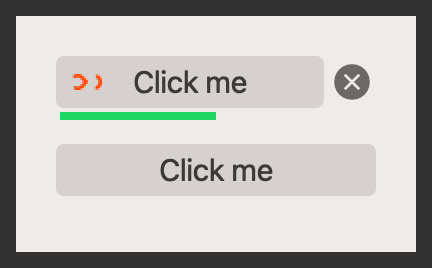
Example#
Source: examples/qt_button_progress.py
"""QtActiveProgressBarButton."""

from qtpy.QtWidgets import QApplication, QVBoxLayout, QWidget

from qtextra.config import THEMES
from qtextra.widgets.qt_button_progress import QtActiveProgressBarButton

app = QApplication([])

widget = QWidget()
THEMES.apply(widget)

layout = QVBoxLayout()
widget.setLayout(layout)

active_btn = QtActiveProgressBarButton(widget, "Click me")
active_btn.setRange(0, 100)
active_btn.setValue(10)
active_btn.active = True
layout.addWidget(active_btn)


def activate():
    active_btn.active = not active_btn.active
    print(f"Active: {active_btn.active}")


def cancel():
    active_btn.active = False
    print("Cancelled")


active_btn = QtActiveProgressBarButton(widget, "Click me", which="dots")
active_btn.setRange(0, 100)
active_btn.setValue(10)
active_btn.evt_clicked.connect(activate)
active_btn.evt_cancel.connect(cancel)
layout.addWidget(active_btn)
widget.show()

app.exec_()
Notes#
- Use it when you want the action trigger and the progress readout to stay visually connected.
API#
Qt Class#
Methods#
Button with progress bar in a layout.
active: bool
property
writable
#
Update the state of the loading label.
step: int
property
writable
#
Set a current step.
setMaximum(max_val: int) -> None
#
Set maximum.
setMinimum(min_val: int) -> None
#
Set minimum.
setRange(min_val: int, max_val: int) -> None
#
Set range.
setValue(value: int) -> None
#
Set value.