QtScrollableLabel#
Scrollable rich text labels for longer explanations inside constrained layouts.
Screenshot#
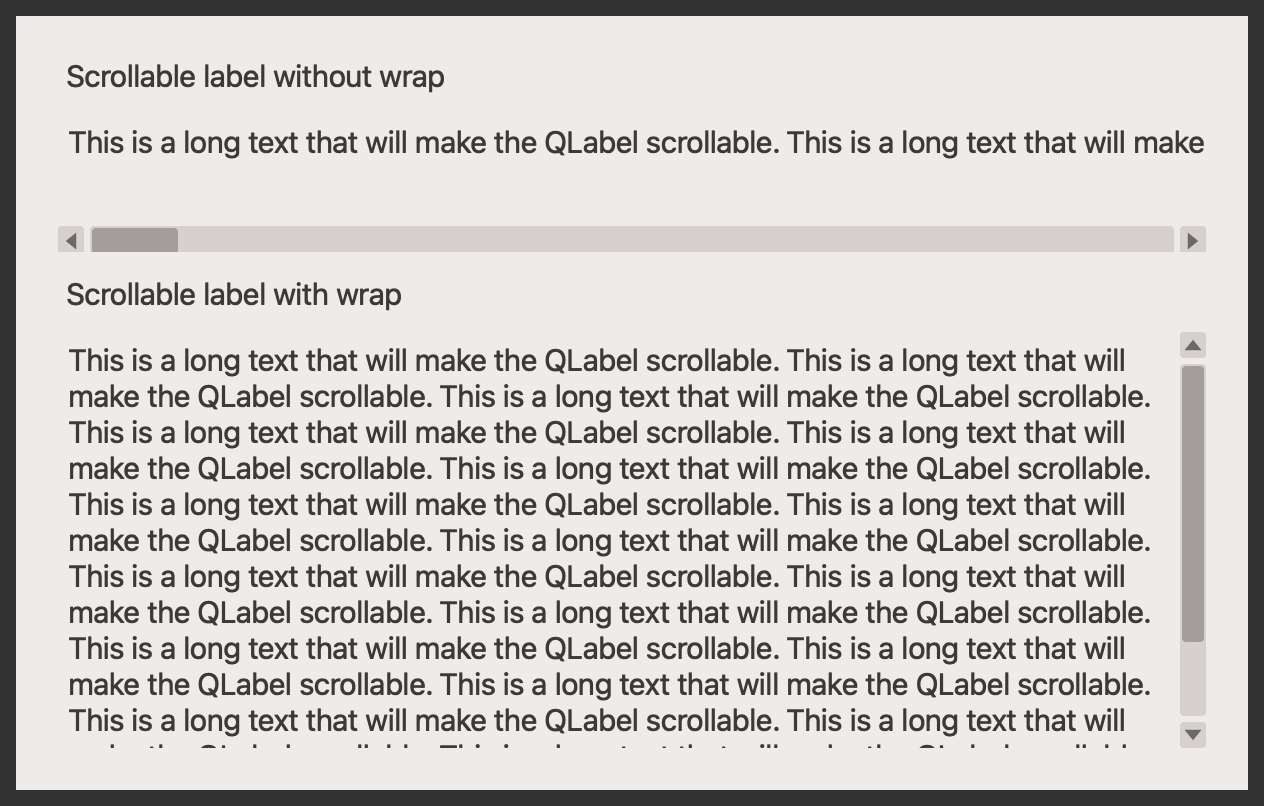
Example#
Source: examples/qt_label_scroll.py
"""Scrollable label."""

from qtpy.QtWidgets import QApplication, QLabel, QVBoxLayout, QWidget

from qtextra.config import THEMES
from qtextra.widgets.qt_label_scroll import QtScrollableLabel

app = QApplication([])

widget = QWidget()
THEMES.apply(widget)

layout = QVBoxLayout()
widget.setLayout(layout)

# non-wrapped label
layout.addWidget(QLabel("Scrollable label without wrap"))
layout.addWidget(QtScrollableLabel(text="This is a long text that will make the QLabel scrollable. " * 20, wrap=False))
# wrapped label
layout.addWidget(QLabel("Scrollable label with wrap"))
layout.addWidget(QtScrollableLabel(text="This is a long text that will make the QLabel scrollable. " * 20, wrap=True))
widget.show()

app.exec_()