QtTagManager#
Interactive tag chips with filtering and add/remove affordances.
Screenshot#
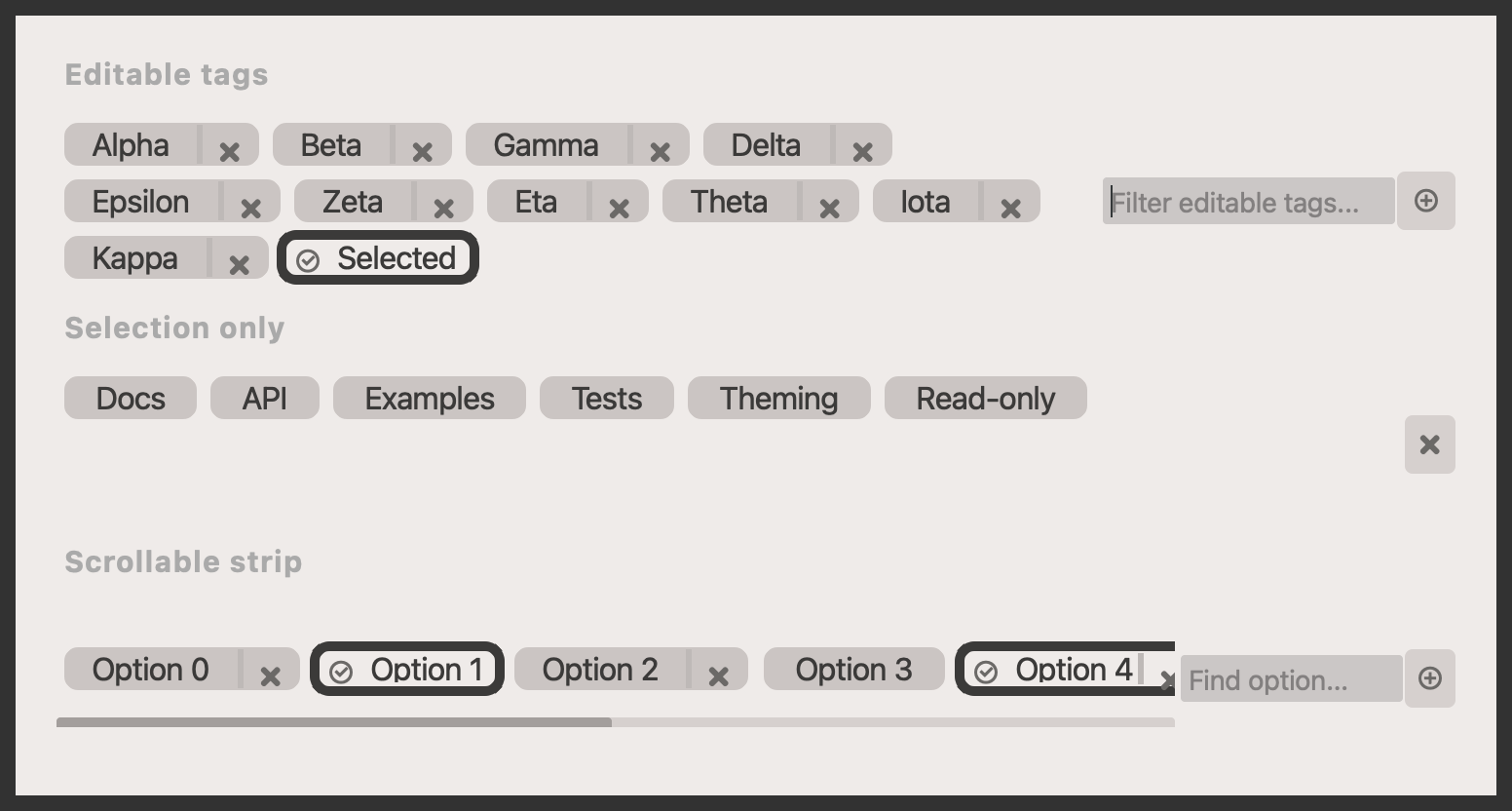
Example#
Source: examples/qt_button_tag.py
"""QtTagManager example."""

from qtpy.QtWidgets import QApplication, QVBoxLayout, QWidget

from qtextra._example_helpers import section
from qtextra.config import THEMES
from qtextra.widgets.qt_button_tag import QtTagManager

app = QApplication([])
widget = QWidget()
THEMES.apply(widget)
widget.setMinimumWidth(760)

layout = QVBoxLayout(widget)
layout.setSpacing(10)

layout.addWidget(section("Editable tags"))
editable = QtTagManager(allow_action=True)
editable.add_tags(
    ["Alpha", "Beta", "Gamma", "Delta", "Epsilon", "Zeta", "Eta", "Theta", "Iota", "Kappa"], hide_check=False
)
editable.add_filter(placeholder="Filter editable tags...")
editable.add_plus()
editable.add_tag("Selected", active=True, allow_action=False)
layout.addWidget(editable)

layout.addWidget(section("Selection only"))
selection = QtTagManager(allow_action=False)
selection.add_tags(["Docs", "API", "Examples", "Tests", "Theming"], hide_check=False)
selection.add_tag("Read-only", allow_check=False)
selection.add_clear()
layout.addWidget(selection)

layout.addWidget(section("Scrollable strip"))
scrollable = QtTagManager(allow_action=True, flow=False)
for index in range(10):
    scrollable.add_tag(f"Option {index}", active=index in {1, 4}, allow_action=index % 2 == 0)
scrollable.add_filter(placeholder="Find option...")
scrollable.add_plus()
layout.addWidget(scrollable)

widget.resize(700, 400)
widget.show()
app.exec_()
Notes#
- This pattern works well for faceted search, label editors, and small state pickers.
API#
Qt Class#
Signals#
evt_checked#
evt_clicked#
evt_action#
Methods#
Qt Class#
Signals#
evt_checked#
evt_plus_clicked#
evt_changed#
evt_clicked#
Methods#
Manager class that contains multiple QtTagButtons.
addButton = add_button
class-attribute
instance-attribute
#
addClear = add_clear
class-attribute
instance-attribute
#
addPlus = add_plus
class-attribute
instance-attribute
#
addTag = add_tag
class-attribute
instance-attribute
#
addTags = add_tags
class-attribute
instance-attribute
#
clearSelection = clear_selection
class-attribute
instance-attribute
#
removeTag = remove_tag
class-attribute
instance-attribute
#
removeTags = remove_tags
class-attribute
instance-attribute
#
selected_ids: list[str]
property
#
Get list of selected tags.
selected_options: list[str]
property
#
Get list of selected tags.
updateLabel = update_label
class-attribute
instance-attribute
#
add_button(icon_name: str, tooltip: str = '') -> QtImagePushButton
#
Add button.
add_clear() -> QtImagePushButton
#
Add plus button.
add_filter(placeholder: str = 'Type-in tag name...', max_width: int = 150, case_sensitive: bool = False) -> None
#
Add filter.
add_plus() -> QtImagePushButton
#
Add plus button.
add_tag(text: str, hash_id: str | None = None, allow_action: bool | None = None, active: bool = False, allow_check: bool = True, hide_check: bool = False, set_property: bool = False) -> str
#
Add tag to the Tag manager..
add_tags(options: list[str], allow_action: bool | None = None, allow_check: bool = True, hide_check: bool = False, set_property: bool = False) -> None
#
Add tags.
clear_selection() -> None
#
Clear selections.
remove_tag(hash_id: str) -> None
#
Remove tag.
remove_tags() -> None
#
Clear all options.
update_label(hash_id: str, new_label: str) -> None
#
Update label of specified tag.