UpdateAvailableDialog#
An application update prompt with primary actions for updating now, later, or reading release notes.
Screenshot#
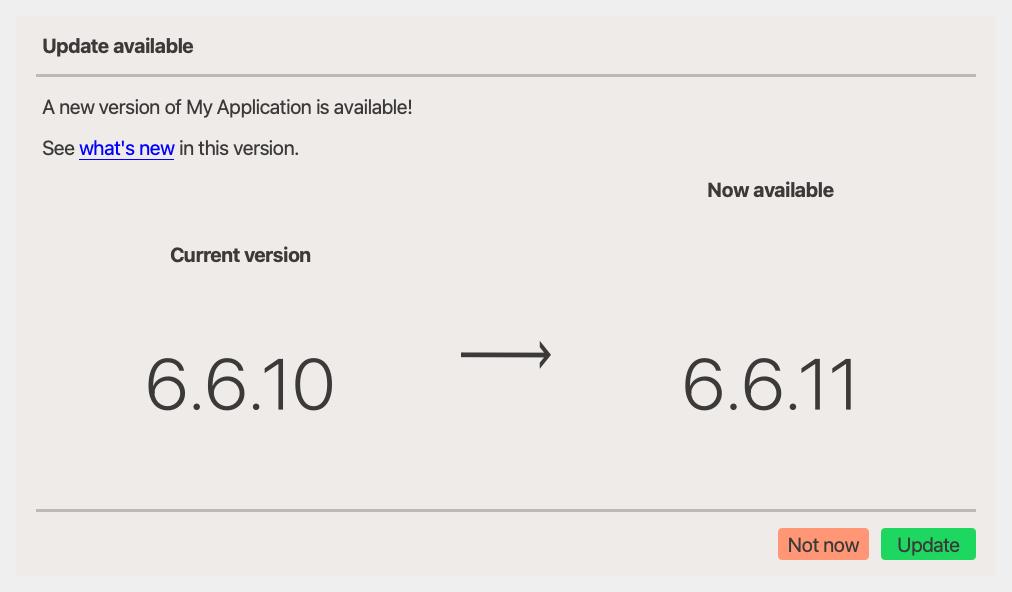
Example#
Source: examples/dialog_update_available.py
from qtpy.QtWidgets import QApplication

from qtextra.config import THEMES
from qtextra.dialogs.qt_update_available import QtUpdateAvailableDialog, UpdateInfo

app = QApplication([])
dlg = QtUpdateAvailableDialog(
    UpdateInfo(
        app_name="My Application",
        current_version="6.6.10",
        available_version="6.6.11",
        whats_new_url="internal://whats-new",
        message="A new version of My Application is available!",
    ),
)
THEMES.apply(dlg)


def on_update() -> None:
    print("User chose update")


def on_later() -> None:
    print("User chose not now")


def on_whats_new() -> None:
    print("Show What's New dialog/page here")


dlg.evt_update_requested.connect(on_update)
dlg.evt_remind_later_requested.connect(on_later)
dlg.evt_whats_new_requested.connect(on_whats_new)

dlg.show()

app.exec_()
Notes#
- Pair this dialog with
WhatsNewDialogor an external changelog page for the release notes flow. - The dialog emits dedicated signals for update, remind-later, and what's-new actions.
API#
Qt Class#
Signals#
evt_dismissed#
evt_update_requested#
evt_whats_new_requested#
evt_remind_later_requested#
Methods#
Methods#
Data model for an available-update notification.
Parameters:
| Name | Type | Description | Default |
|---|---|---|---|
current_version
|
str
|
The version the user is currently running. |
required |
available_version
|
str
|
The version that is available to install. |
required |
app_name
|
str
|
Human-readable application name shown in the default message. |
required |
whats_new_url
|
str | None
|
When provided, a "what's new" hyperlink is shown in the body. |
required |
message
|
str | None
|
Custom body message; falls back to a generic string when |
required |