QtFloatingProgressBar#
Floating progress overlay with a status label and progress bar, anchored to another widget.
Screenshot#
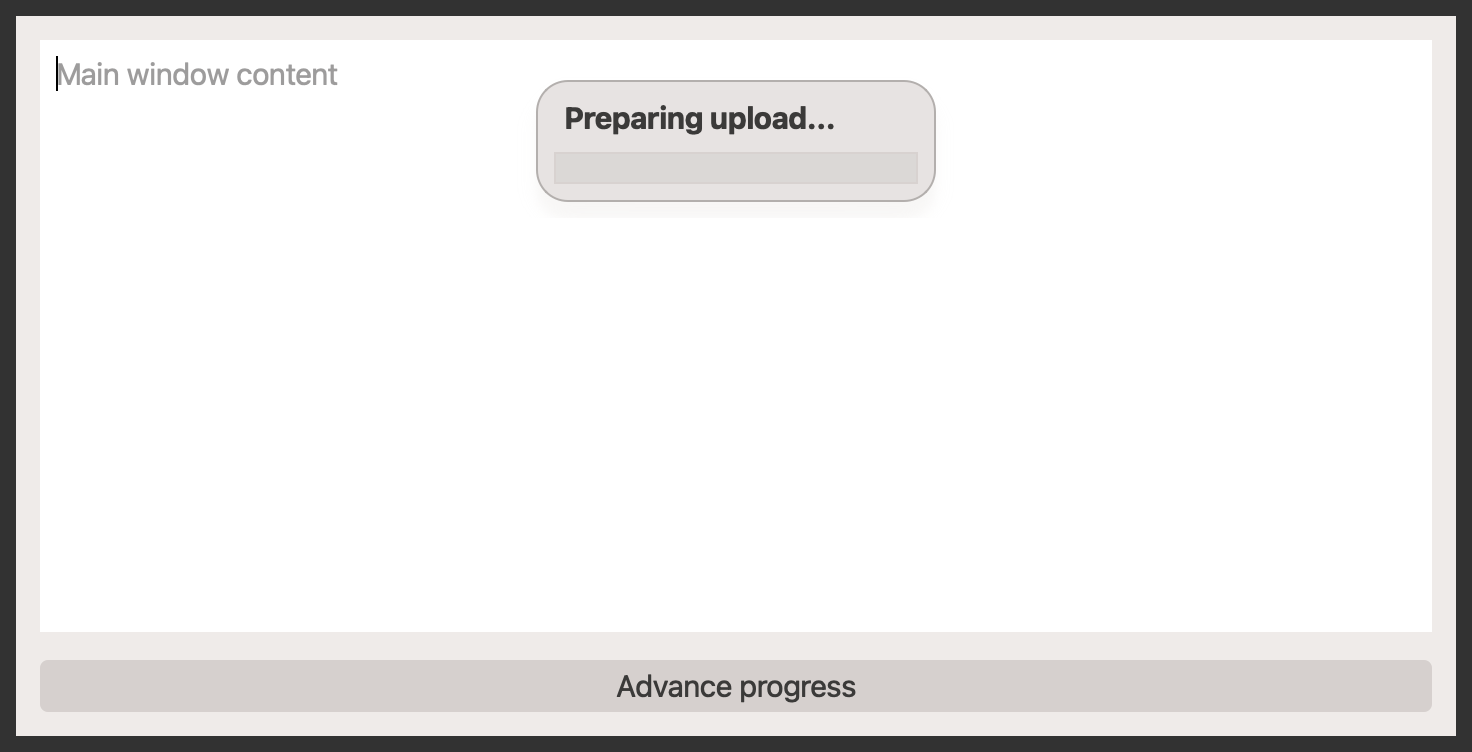
Example#
Source: examples/qt_progress_bar_floating.py
"""QtFloatingProgressBar example."""

from __future__ import annotations

from qtpy.QtCore import QTimer
from qtpy.QtWidgets import QApplication, QDialog, QMainWindow, QPushButton, QTextEdit, QVBoxLayout, QWidget

from qtextra.config import THEMES
from qtextra.widgets.qt_progress_bar_floating import QtFloatingProgressBar


def build_window() -> QMainWindow:
    """Build a main-window example with a floating progress overlay."""
    window = QMainWindow()
    window.setWindowTitle("QtFloatingProgressBar Example")
    central = QWidget()
    window.setCentralWidget(central)
    layout = QVBoxLayout(central)

    editor = QTextEdit()
    editor.setPlaceholderText("Main window content")
    layout.addWidget(editor)

    overlay = QtFloatingProgressBar(
        parent=central,
        widget=editor,
        text="Preparing upload...",
        value=0,
    )

    value = {"step": 0}

    def advance() -> None:
        if value["step"] == 0:
            overlay.set_busy(True)
            overlay.set_text("Connecting to remote service...")
        elif value["step"] == 1:
            overlay.set_busy(False)
            overlay.set_range(0, 100)
            overlay.set_text("Uploading 25%")
            overlay.set_value(25)
        elif value["step"] == 2:
            overlay.set_text("Uploading 60%")
            overlay.set_value(60)
        else:
            overlay.set_text("Upload complete")
            overlay.set_value(100)
        value["step"] = min(value["step"] + 1, 3)

    btn = QPushButton("Advance progress")
    btn.clicked.connect(advance)
    layout.addWidget(btn)

    return window


def build_dialog() -> QDialog:
    """Build a dialog example with a top-level floating progress overlay."""
    dialog = QDialog()
    dialog.setWindowTitle("Progress Dialog")
    dialog.resize(420, 180)
    layout = QVBoxLayout(dialog)
    layout.addWidget(QTextEdit("Dialog content stays interactive while progress floats above it."))

    overlay = QtFloatingProgressBar(widget=dialog, text="Downloading assets...", value=45)
    overlay.set_range(0, 100)
    overlay.show()

    timer = QTimer(dialog)
    timer.setInterval(1200)
    timer.timeout.connect(lambda: overlay.set_text("Still downloading..."))
    timer.start()

    return dialog


app = QApplication([])

main_window = build_window()
dialog = build_dialog()

THEMES.apply(main_window)
THEMES.apply(dialog)

main_window.resize(720, 360)
main_window.show()
dialog.show()

app.exec_()
Notes#
- The overlay remains inside the host widget's coordinate space, so it moves with a window or dialog.
- Use
set_busy(True)to switch the bar into indeterminate mode when total progress is unknown. - Attach it either to a child content widget or directly to a top-level dialog or main window.
API#
Qt Class#
Methods#
Floating text-and-progress overlay anchored to another widget.
The overlay remains in the host widget's coordinate space, so it moves and resizes naturally with the host window, dialog, or child widget.
Y_OFFSET: int = 12
class-attribute
instance-attribute
#
progress_bar: QProgressBar
property
#
Expose the underlying progress bar widget.
text_label: QLabel
property
#
Expose the underlying text label widget.
attach_to(widget: QWidget | None) -> None
#
Attach the overlay to a target widget.
is_busy() -> bool
#
Return whether the overlay is in indeterminate busy mode.
reset() -> None
#
Reset determinate progress to the current minimum and exit busy mode.
set_busy(is_busy: bool) -> None
#
Switch between busy and determinate progress modes.
set_range(minimum: int, maximum: int) -> None
#
Set the determinate range for the progress bar.
set_text(text: str) -> None
#
Update the status text shown above the progress bar.
set_value(value: int) -> None
#
Set the current determinate progress value.
text() -> str
#
Return the current status text.
value() -> int
#
Return the last determinate progress value.