QtOverlay#
Floating labels and message widgets anchored to another widget.
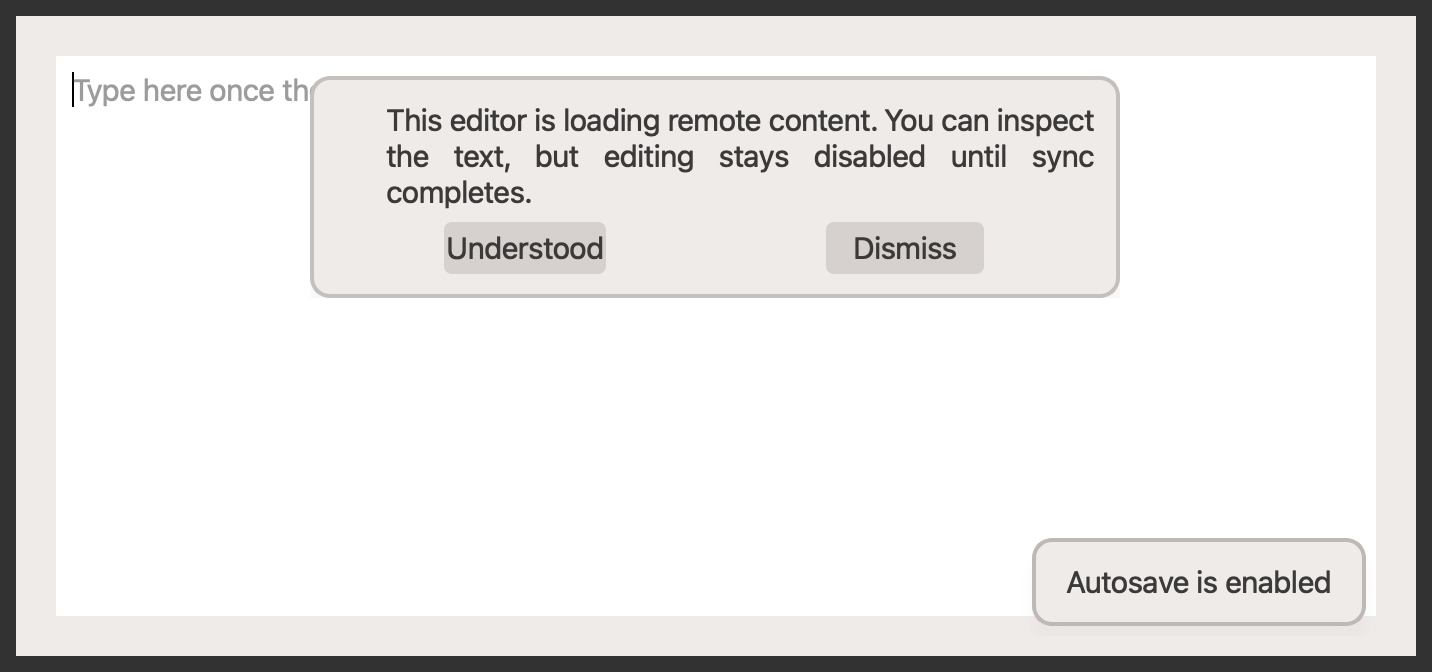
Screenshot#
Example#
Source: examples/qt_overlay.py
"""QtOverlay example."""

from qtpy.QtCore import Qt
from qtpy.QtWidgets import QApplication, QTextEdit, QVBoxLayout, QWidget

from qtextra.config import THEMES
from qtextra.widgets.qt_overlay import QtOverlayDismissMessage, QtOverlayLabel

app = QApplication([])

widget = QWidget()
widget.setWindowTitle("QtOverlay Example")
widget.resize(700, 320)
THEMES.apply(widget)

layout = QVBoxLayout(widget)
editor = QTextEdit()
editor.setPlaceholderText("Type here once the document is ready...")
layout.addWidget(editor)

QtOverlayLabel(
    parent=widget,
    widget=editor,
    text="Autosave is enabled",
    alignment=Qt.AlignmentFlag.AlignBottom | Qt.AlignmentFlag.AlignRight,
)

overlay = QtOverlayDismissMessage(
    parent=widget,
    widget=editor,
    icon_name="info",
    text="This editor is loading remote content. You can inspect the text, but editing stays disabled until sync completes.",
    word_wrap=True,
    dismiss_btn=True,
    ok_btn=True,
    ok_text="Understood",
)
overlay.display()

widget.show()
app.exec_()
Notes#
- Overlays automatically follow the anchor widget as it moves, resizes, shows, or hides.
API#
Qt Class#
Methods#
A widget positioned on top of another widget.
Y_OFFSET: int = 10
class-attribute
instance-attribute
#
alignment() -> Qt.AlignmentFlag
#
Return the overlay alignment.
attach_to(widget: QWidget | None) -> None
#
Attach the overlay to a widget.
setAlignment(alignment: Qt.AlignmentFlag) -> None
#
Set overlay alignment.
set_widget(widget: QWidget | None) -> None
#
Attach the overlay to a widget and track its geometry.
widget() -> QWidget | None
#
Return the widget the overlay is attached to.
Qt Class#
Methods#
Qt Class#
Signals#
evt_rejected#
evt_accepted#
evt_dismissed#
Methods#
Qt Class#
Methods#
Overlay message preconfigured with dismiss and optional OK actions.