QtStepProgressBar#
Step-based progress visualization for multi-stage workflows.
Screenshot#
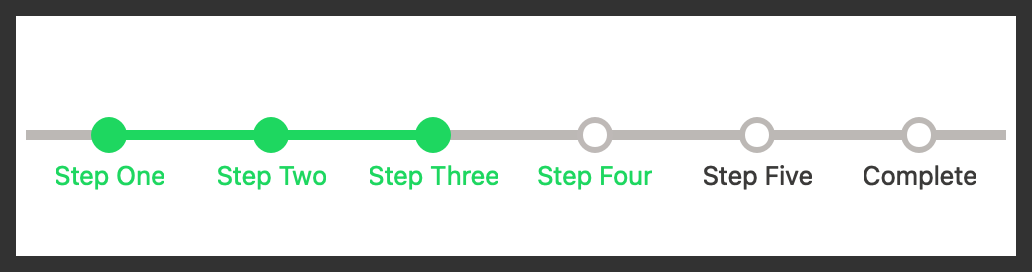
Example#
Source: examples/qt_progress_step.py
"""QtStepProgressBar."""

from qtpy.QtWidgets import QApplication

from qtextra.config import THEMES
from qtextra.widgets.qt_progress_step import QtStepProgressBar

app = QApplication([])

widget = QtStepProgressBar()
THEMES.apply(widget)
widget.setMinimumWidth(500)  # to ensure it's fully visible

# add labels to the progress bar
widget.labels = ["Step One", "Step Two", "Step Three", "Step Four", "Step Five", "Complete"]
# set current step
widget.value = 3

widget.show()
app.exec_()
API#
Qt Class#
Signals#
evt_value_changed#
evt_steps_changed#
Methods#
Progress bar with steps.
https://stackoverflow.com/questions/63004722/how-to-create-a-labelled-qprogressbar-in-pyside
HORIZONTAL_PADDING = 5
class-attribute
instance-attribute
#
LINE_WIDTH = 5
class-attribute
instance-attribute
#
RADIUS = 10
class-attribute
instance-attribute
#
labels = Property(list, fget=get_labels, fset=set_labels, notify=evt_steps_changed)
class-attribute
instance-attribute
#
value = Property(int, fget=get_value, fset=set_value, notify=evt_value_changed)
class-attribute
instance-attribute
#
get_labels() -> list[str]
#
Get labels.
get_value() -> int
#
Get value.
set_labels(labels: list[str]) -> None
#
Set labels.
set_value(value: int) -> None
#
Set current value.