QtToggleGroup#
Compact grouped toggle buttons with exclusive and multi-select modes.
Screenshot#
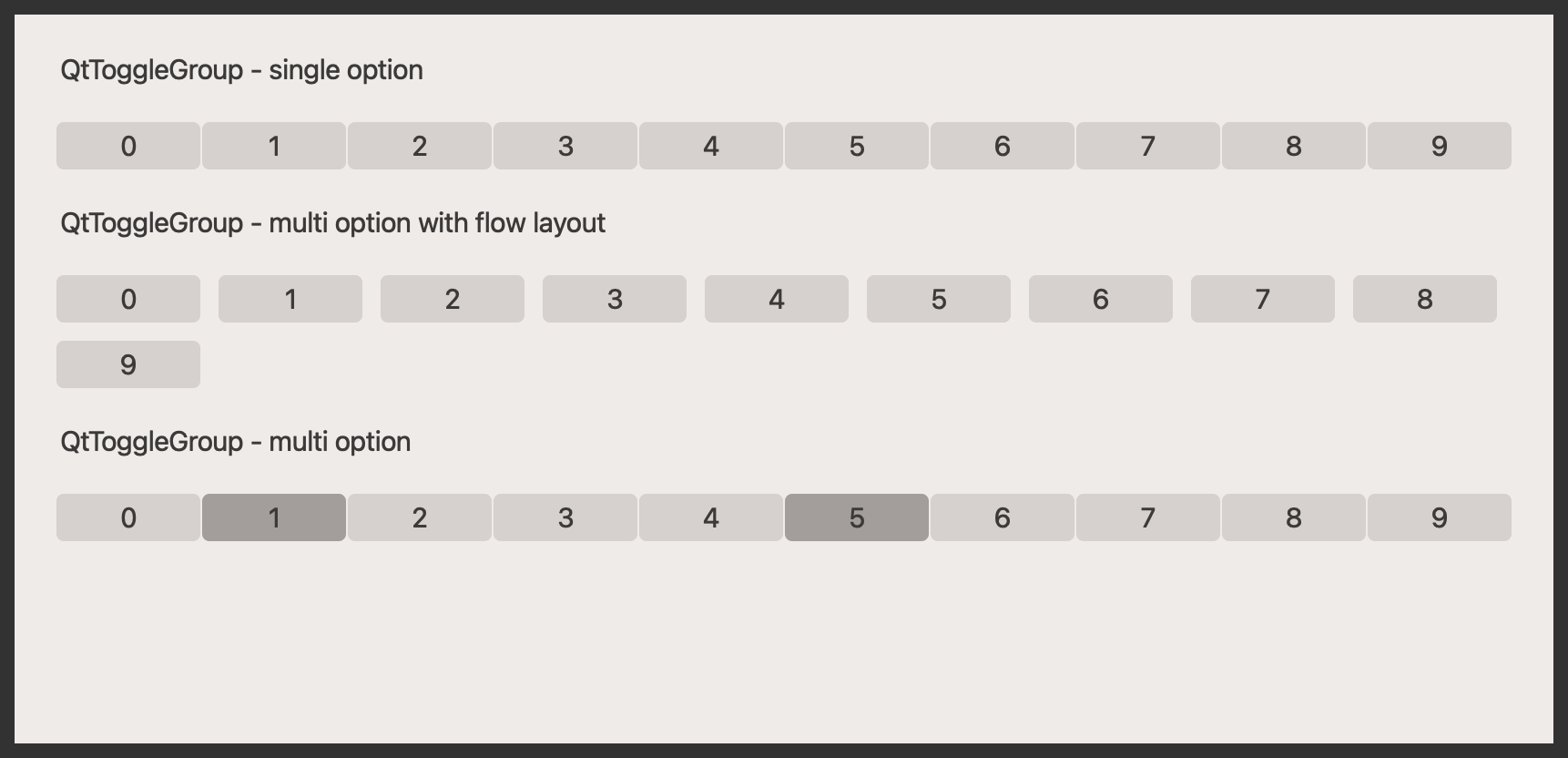
Example#
Source: examples/qt_toggle_group.py
"""QtActiveProgressBarButton."""

from qtpy.QtWidgets import QApplication, QLabel, QVBoxLayout, QWidget

from qtextra.config import THEMES
from qtextra.widgets.qt_toggle_group import QtToggleGroup

app = QApplication([])

widget = QWidget()
widget.setMinimumHeight(400)
THEMES.apply(widget)

layout = QVBoxLayout()
widget.setLayout(layout)

layout.addWidget(QLabel("QtToggleGroup - single option"))
layout.addWidget(QtToggleGroup(None, [str(i) for i in range(10)], exclusive=True))

layout.addWidget(QLabel("QtToggleGroup - multi option with flow layout"))
layout.addWidget(QtToggleGroup(None, [str(i) for i in range(10)], exclusive=False, orientation="flow"))

layout.addWidget(QLabel("QtToggleGroup - multi option"))
layout.addWidget(QtToggleGroup(None, [str(i) for i in range(10)], exclusive=False, value=["1", "5"]))

layout.addStretch()
widget.show()

app.exec_()
Notes#
- Read the current selection from
valueand the current position fromindex. - Use
from_schemawhen a JSON-style schema already describes the options.
API#
Qt Class#
Signals#
evt_index_changed#
evt_changed#
Methods#
Widget for a toggle group.
buttons: list[QWidget]
property
#
Buttons.
checked_buttons: ty.Any
property
#
Button.
index: int | list[int] | None
property
#
Get index.
options: list[str]
property
#
Options.
value: str | list[str] | None
property
writable
#
Get value.
from_schema(parent: QWidget | None, options: list[str] | None = None, value: str | list[str] | None = None, tooltip: str = '', orientation: str = 'horizontal', default: str | list[str] = '', description: str = '', items: dict[str, ty.Any] | None = None, func: OptionalCallback = None, exclusive: bool = True, multiline: bool = False, **kwargs: dict) -> QtToggleGroup
classmethod
#
From schema.
setValue(value: str | list[str]) -> None
#
Set value (Qt style).